
Pokémon Bank is approaching the end of the road. Nintendo says the Nintendo 3DS storage service will end on February 25, 2027 at 7:00 p.m. PST, and transfers from Pokémon Bank to Pokémon HOME will stop when the service closes.
If you still have Pokémon in Bank that you want to carry forward, the safest plan is to move them to Pokémon HOME well before the deadline. The transfer requires a paid Pokémon HOME Premium Plan and, once completed, it cannot be reversed back into Pokémon Bank.
When is Pokémon Bank shutting down?
Pokémon Bank is scheduled to end service on Thursday, February 25, 2027 at 7:00 p.m. Pacific / 10:00 p.m. Eastern in North America.
That is a single worldwide shutdown moment, so the local calendar date will be February 26 in Japan and in a number of other time zones. Players planning a final migration should therefore pay attention to the shutdown time in their own region rather than relying only on the date.
Once the service is offline, the Bank-to-HOME transfer route will no longer be available.
What happens to Pokémon left in Bank?
The practical issue is access. Pokémon Bank depends on the online service that is being retired, and Nintendo explicitly advises players to move any Pokémon they want to carry over to Pokémon HOME before the end of service.
The shutdown notice does not create a new way to recover Pokémon after Bank closes. If a collection matters to you, treating the February deadline as the last migration window is safer than waiting for the final hours.
You need Pokémon HOME Premium to move Pokémon from Bank
Pokémon’s official support documentation confirms that moving Pokémon from Pokémon Bank into Pokémon HOME requires a paid Pokémon HOME Premium Plan. The free HOME Basic Plan does not include the Bank migration feature.
How to move Pokémon from Bank to HOME when you still have a 3DS
If you still have access to the Nintendo 3DS running Pokémon Bank, the official process uses a temporary Moving Key:
- Open Pokémon Bank and choose Move Pokémon to Pokémon HOME.
- Select the Bank boxes you want to move and confirm them.
- In Pokémon HOME, start a move from Pokémon Bank and display a Moving Key.
- Enter that key in Pokémon Bank before it expires.
- After the transfer starts, confirm that the Pokémon arrive in your HOME boxes before treating the migration as complete.
The Moving Key is time-limited, so do the transfer when both Bank and HOME are ready rather than generating the key in advance.
The transfer from Bank to HOME is one-way
This is the most important limitation to understand before moving a valuable collection: Pokémon transferred from Pokémon Bank to Pokémon HOME cannot be sent back to Pokémon Bank.
Moving a Pokémon into HOME is therefore a migration, not temporary synchronization. Players who still actively use older Pokémon games should decide which Pokémon they want to leave on the older hardware and which ones they are ready to move forward permanently.
What if you no longer have the 3DS?
Losing access to the Nintendo 3DS itself does not automatically mean Pokémon already stored in Bank are stranded.
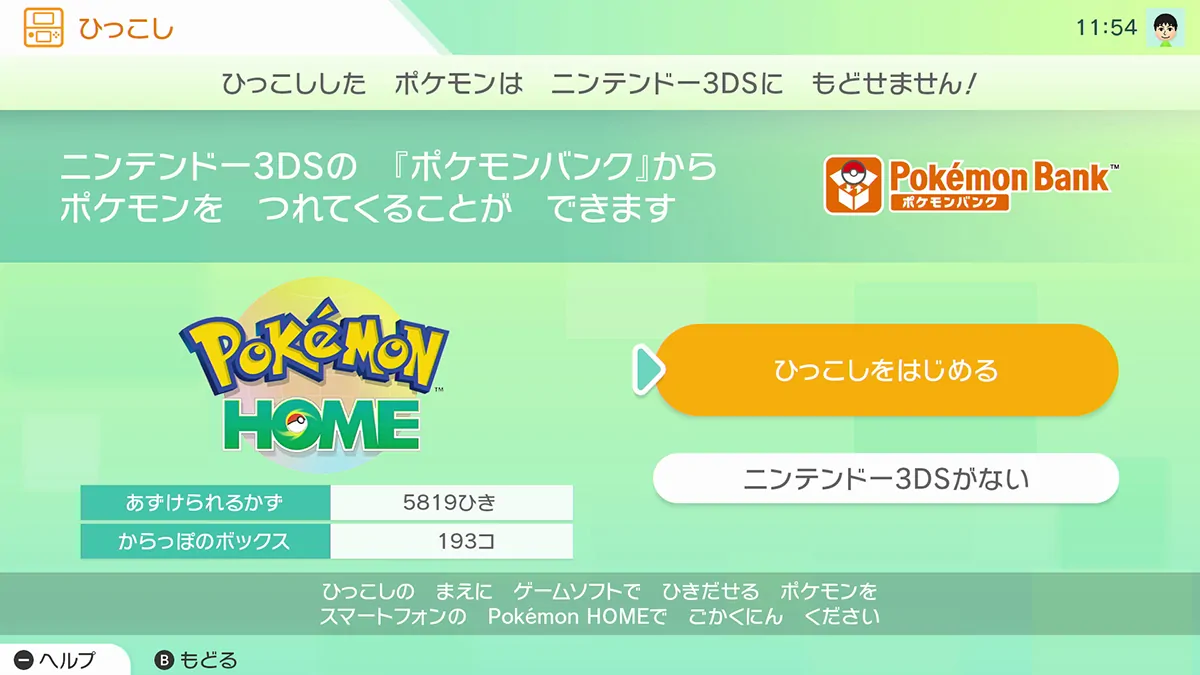
Pokémon’s official HOME instructions provide a no-3DS migration option when the Nintendo Network ID used with Pokémon Bank is linked to the Nintendo Account used with Pokémon HOME.
In Pokémon HOME, choose the Bank move option and select No Nintendo 3DS. After the account link is verified, the migration can be started from HOME.
There is an important difference: when this no-3DS method is used, all Pokémon stored in Pokémon Bank are moved at once. You cannot choose individual Bank boxes for that migration. A Pokémon HOME Premium Plan is still required.
What if your Pokémon are still in older games?
The Bank shutdown matters not only for Pokémon already sitting in cloud storage. It also closes the old bridge used to move compatible Nintendo 3DS-era collections toward Pokémon HOME.
Pokémon Bank works with the supported Nintendo 3DS Pokémon titles, while Poké Transporter was used to bring Pokémon from compatible older titles into Bank before the final move to HOME.
- Pokémon X, Y, Omega Ruby, Alpha Sapphire, Sun, Moon, Ultra Sun and Ultra Moon: move the Pokémon into Pokémon Bank, then transfer them from Bank to Pokémon HOME.
- Pokémon Black, White, Black 2 and White 2: use Poké Transporter to move the Pokémon into Bank, then transfer them from Bank to HOME.
- Virtual Console Red, Blue, Yellow, Gold, Silver and Crystal: use Poké Transporter to move the Pokémon into Bank, then complete the Bank-to-HOME transfer.
The distinction matters because Pokémon Bank connects directly with the supported Nintendo 3DS titles, while the older Nintendo DS and Virtual Console groups above depend on Poké Transporter before Pokémon Bank can become the final bridge to HOME.
If Pokémon you want to preserve are still in an older game, check the entire transfer path now rather than assuming the February 2027 deadline is the only requirement. Older transfers can depend on software and hardware that are no longer available for new download or easy replacement.
The practical priority is to get any compatible Pokémon you want to keep into Bank while your required older setup still works, then complete the Bank-to-HOME migration before Bank shuts down.
What if you never downloaded Pokémon Bank?
New downloads of Pokémon Bank and Poké Transporter ended with the Nintendo 3DS eShop changes in March 2023. The 2027 shutdown does not reopen either application for new users.
That distinction is important: the remaining migration window mainly helps players who already have access to the required older software or whose Pokémon are already stored in Bank.
Why this shutdown matters more than a normal server closure
Pokémon collections can survive across hardware generations in a way that most game data does not. Individual Pokémon can carry event history, ribbons, old moves, competitive value or simply years of personal attachment.
Bank has kept a route open from an older generation of Nintendo hardware into the current Pokémon HOME ecosystem long after the 3DS storefront closed. HOME will continue after Bank ends, but the old Bank-to-HOME bridge will not.
What should you do before February 2027?
- Open Pokémon Bank well before shutdown day and check every storage box.
- Check compatible older games for Pokémon you still intended to move into Bank.
- Confirm that the Nintendo Account used with Pokémon HOME is the correct destination account.
- If you may need the no-3DS method, verify the Nintendo Network ID and Nintendo Account link in advance.
- Have an active Pokémon HOME Premium Plan when you perform the Bank-to-HOME migration.
- Move important Pokémon in time to resolve account, hardware or network problems before the service closes.
- Verify that transferred Pokémon appear in HOME before treating the process as finished.
Pokémon Bank shutdown: the short version
- Service end: February 25, 2027 at 7:00 p.m. PST / 10:00 p.m. EST in North America.
- What ends with it: transfers from Pokémon Bank to Pokémon HOME.
- Migration destination: Pokémon HOME.
- Pokémon HOME Premium required: yes.
- Can transferred Pokémon return to Bank? No.
- No longer have the 3DS? A HOME-only migration is possible if the relevant accounts are linked; all Bank Pokémon move at once.
- Can new users download Pokémon Bank now? No; new downloads ended in 2023.
- Best action: move anything you want to preserve well before the shutdown.
Sources: Nintendo Support; Pokémon Support.