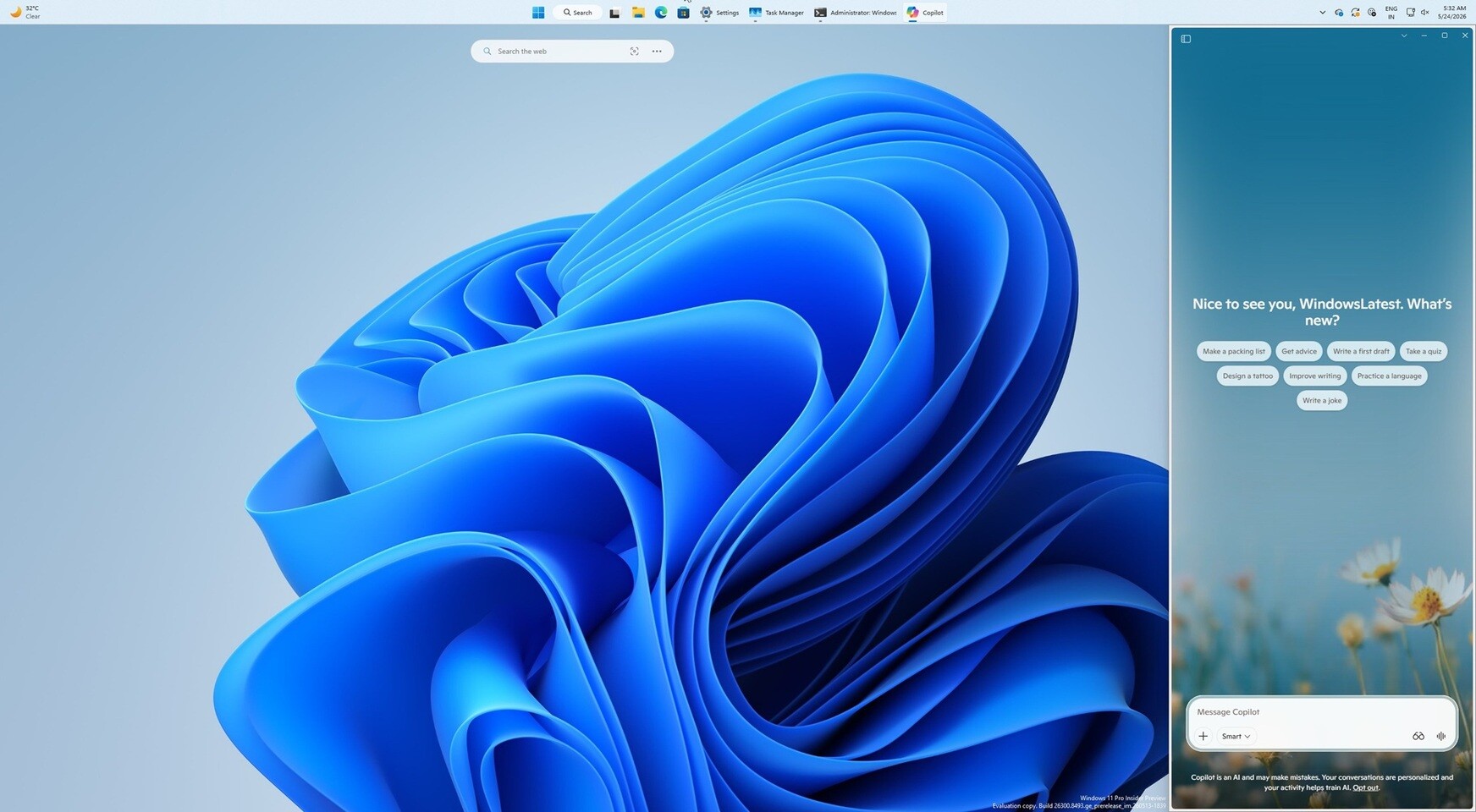
Microsoft is gradually rolling out a new Windows 11 Copilot experience that puts the app back in a sidebar, returning to the layout it originally had when it launched in 2024. The change is meant to make Copilot more visible across the desktop, and Microsoft is also offering two ways to remove the app for users and administrators who do not want it installed.
What happened
According to the source material, Copilot is appearing as a sidebar application again in Windows 11. The app can be docked to the left or right side of the screen, and Windows 11 will automatically resize open apps to make room for it. This brings Copilot closer to the desktop and other UI elements, including context menus, applications and icons.
The source also notes that Microsoft changed Copilot over time: it first launched as a sidebar in 2024, then shifted to a standalone desktop app, and is now moving back toward the original sidebar design.
For users who want to remove Copilot, the material says Microsoft now provides two options: a Windows Registry edit and a Group Policy setting. The Group Policy route is intended to help administrators remove Copilot from enterprise systems, while the registry method is described for individual users.
Why it matters
For Windows 11 users, this is another notable change to how Microsoft is positioning Copilot inside the operating system. A sidebar layout affects screen space, app arrangement and how prominently Copilot is surfaced during everyday use. That makes it relevant both for people who use Copilot and for those who prefer a cleaner desktop.
The removal options are also important for IT teams and advanced users, since they provide a way to control whether Copilot stays on managed systems. The source material does not specify how broadly the rollout is available or whether all Windows 11 users will see it immediately.
Key details
- Copilot is gradually rolling out as a sidebar app in Windows 11.
- The sidebar can be docked on either the left or right side of the screen.
- Windows 11 adjusts open applications to fit around the sidebar.
- Microsoft is also offering a registry-based removal method and a Group Policy option.
- The source does not specify rollout timing, regional availability or whether the change is limited to certain Windows 11 builds.
What users should know
If the new Copilot layout reaches your system, expect it to take up visible desktop space rather than sitting in a standalone window. The source material says Windows will resize apps automatically when the sidebar is docked.
If you do not want Copilot installed, the available source says removal is possible through either a registry change or Group Policy. However, the source also notes that the Group Policy method only works if users did not install the app themselves. Other details, including broader availability and any system requirements, are not specified in the source material.
Source
Source: TechPowerUp